
How to Sell Trade Show Booth Space Online (Without Spreadsheets)
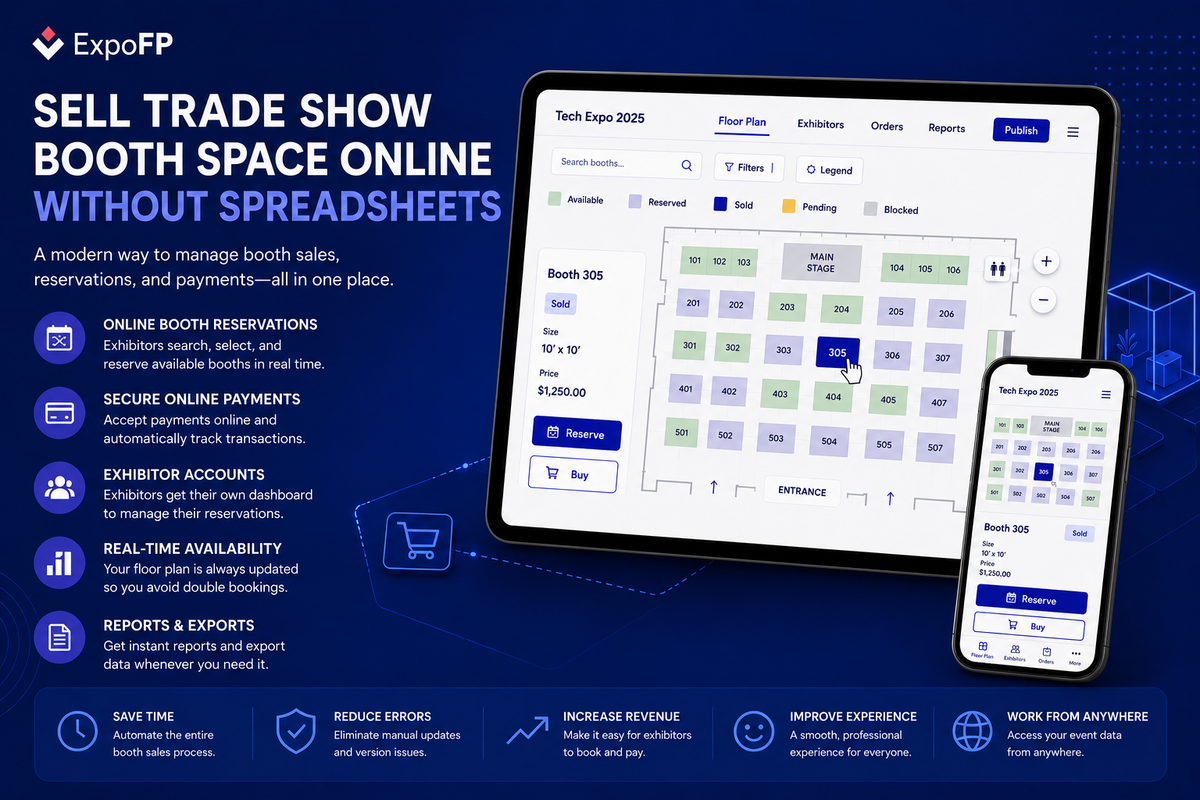
If you’re still selling trade show booth space with a shared spreadsheet, a static PDF map, and a chain of “is booth 412 still open?” emails, you’re leaving money and sanity on the table. The fastest way to sell trade show booth space online is to put your floor plan on a live, interactive map where exhibitors can see real-time availability, pick their own space, and pay on the spot — no back-and-forth required.
This guide walks through why the spreadsheet method breaks down as your show grows, what an online booth sales workflow actually looks like, and how to set one up without an engineering team.
Why Spreadsheets Become Difficult to Manage
A shared spreadsheet may be enough for a small event with a limited number of booths. Once you're managing hundreds of booths, multiple sales representatives, and simultaneous reservations, it becomes much harder to keep your booth inventory accurate.
Some of the most common challenges include:
Double bookings
When multiple people update the same spreadsheet, two exhibitors may reserve the same booth before the document is refreshed. Resolving these conflicts takes time and often results in a poor customer experience.
Limited visual information
A spreadsheet can display booth numbers and dimensions, but it cannot show exhibitors where the booth is located, nearby exhibitors, entrances, food areas, or other important points of interest.
Most exhibitors prefer selecting a booth directly from a floor plan instead of comparing booth numbers in a spreadsheet.
Multiple sources of information
Sales teams, finance departments, and event managers often maintain separate records. As a result, teams spend valuable time checking emails, CRM systems, contracts, and spreadsheets to confirm which booths are actually available.
Delays between inquiry and reservation
Every manual step slows down the sales process. An exhibitor requests availability, waits for a response, reviews the options, and only then proceeds with a reservation.
During that time, another exhibitor may reserve the same booth or the prospect may choose a different event.
An interactive floor plan removes these delays by displaying live booth availability directly on the map.
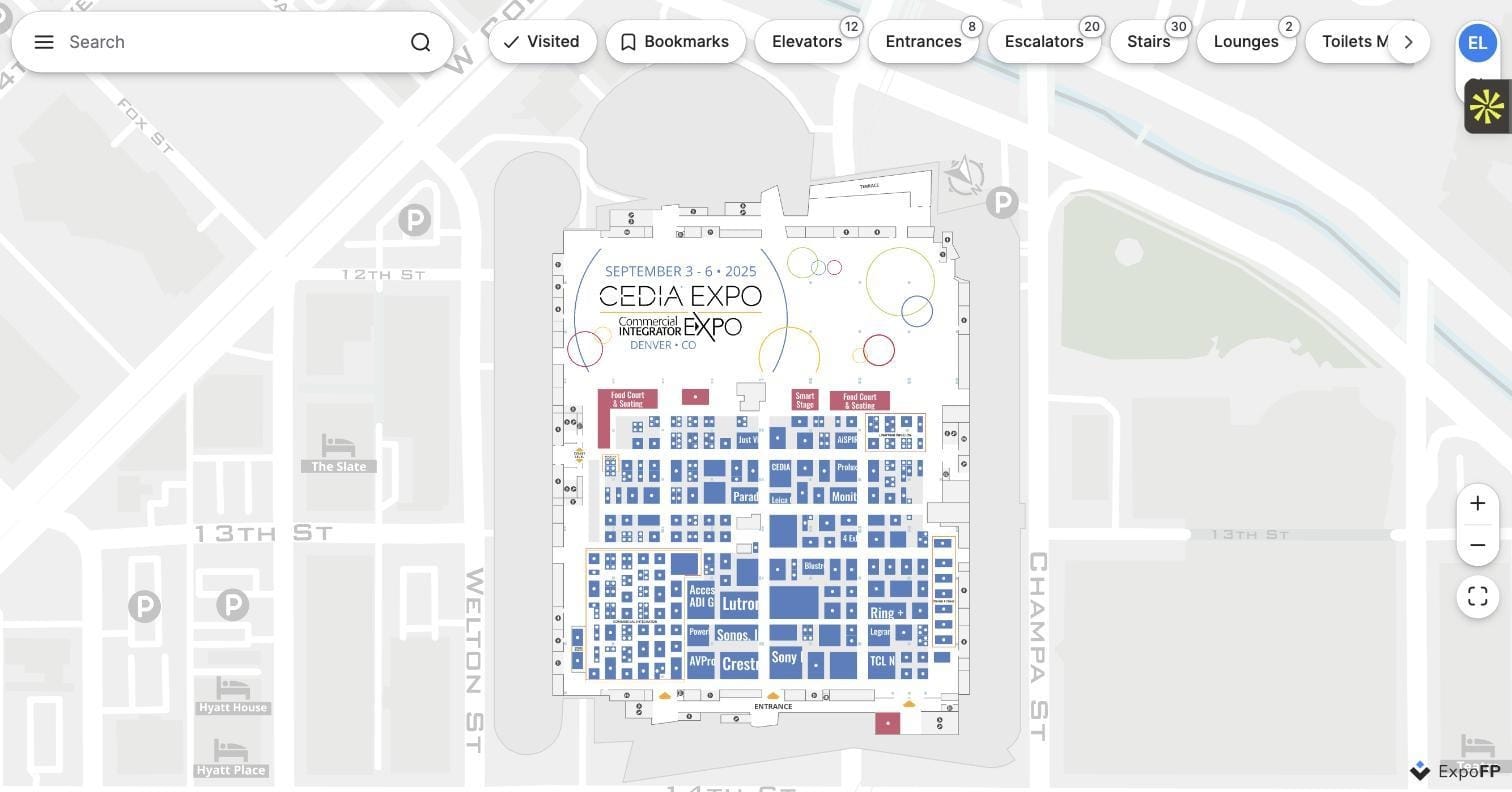
What Selling Booth Space Online Actually Looks Like
An online booth sales workflow replaces the sheet-and-email loop with a single source of truth: an interactive floor plan that shows real booth status and lets exhibitors act immediately.
The typical flow:
- Organizer builds the floor plan from a CAD file, image, or from scratch, and marks each booth with size, price, and category.
- Booths are color-coded by status — available, reserved, sold — so both the sales team and exhibitors see the same picture at all times.
- Prospective exhibitors browse the live map, click a booth, and see price, dimensions, and amenities instantly.
- Exhibitors reserve or purchase directly, or request a hold that notifies your sales team, depending on how you want to run the process.
- The map updates in real time, so the next visitor never sees a booth that’s already gone.
This is a meaningfully different sales motion than “email us for availability.” It turns your floor plan into a self-service storefront that works 24/7, across time zones, without a rep needing to be online.
Setting Up Real-Time Availability
The mechanics that make this work:
Status color-coding. Most organizers use three or four states — available (green), reserved/on hold (yellow), sold (gray or red) — applied directly to each booth polygon on the map. Anyone looking at the plan understands inventory at a glance, no legend-decoding required.
Live sync across every viewer. When a booth changes status, it changes for everyone looking at the plan — your team, your reps, and every exhibitor with the page open. There’s no “let me check with the team and get back to you” delay, because there’s nothing to check; the map is the record.
Direct booth-to-checkout path. The best setups let an exhibitor click a booth and go straight into a reservation or payment flow, rather than routing them into a generic contact form that starts the manual process all over again.
Waitlists for sold-out categories. When premium spots (corner booths, island spaces, entrance-adjacent booths) sell out, a waitlist captures demand automatically instead of losing it to a “sorry, that’s gone” email.
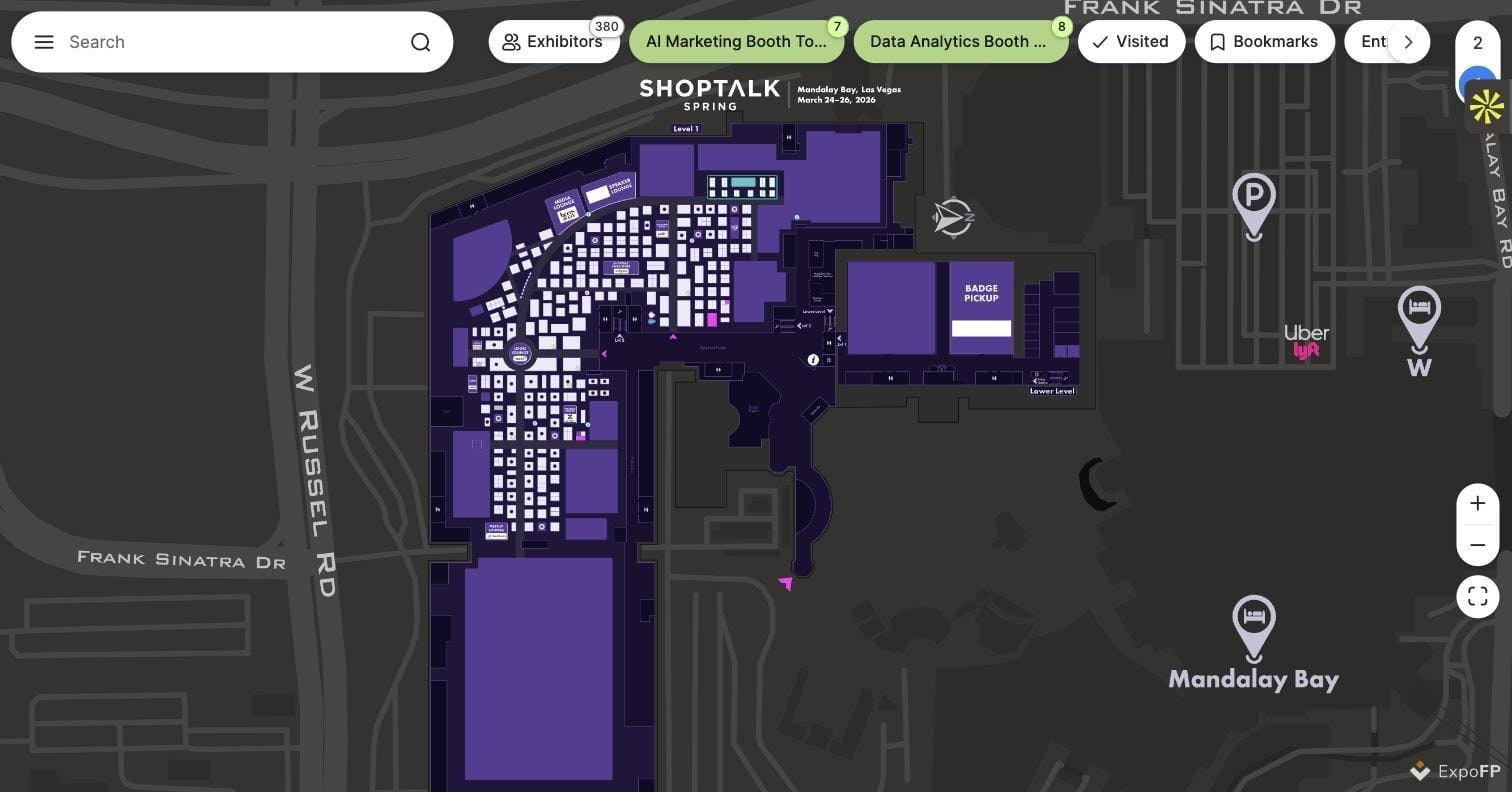
If you’re comparing this to what you have now, look at interactive floor plan examples from live events to see how organizers actually surface pricing and status on the map itself.
Booth Pricing and Categorization on the Map
Selling online only works if exhibitors can filter and compare, the same way they’d filter listings on any e-commerce site. That means structuring your floor plan data before you publish it:
Getting this structure right up front is what separates a floor plan that merely looks nice from one that actually closes sales. For sizing conventions across booth types, see our booth size guide.
From Reservation to Confirmation
Displaying booth availability is only one part of selling booth space online. The reservation process should also be simple and consistent from the exhibitor's perspective.
Most organizers use one of the following approaches.
Self-service reservations
For events with fixed booth pricing, exhibitors can select an available booth, complete the reservation, and finalize payment online without assistance.
This is often the fastest option for standard booths.
Reservation request
Some organizers prefer reviewing reservations before confirming them.
In this workflow, exhibitors submit a reservation request through the interactive floor plan, and the organizer follows up with pricing, contracts, or additional information before confirming the booth.
This approach is common for sponsorship packages, custom pricing, and premium booth locations.
Hybrid workflow
Many events combine both methods.
Standard booths can be reserved online immediately, while premium booths, sponsorship opportunities, or island booths require approval from the sales team.
Regardless of the workflow you choose, booth availability should update automatically once a reservation or sale is confirmed to ensure everyone is viewing accurate information.
What to Look for in Booth Sales Software
Not every “interactive floor plan” tool actually supports online sales. When evaluating options, confirm the platform handles:
- Real-time status sync visible to all users simultaneously, not a nightly batch update
- Editable booth data (price, size, category, notes) without needing a developer
- A public-facing map exhibitors can browse without logging in
- Exportable exhibitor and booth data for your CRM and finance team
- Mobile-responsive display, since a growing share of exhibitors browse and reserve from a phone
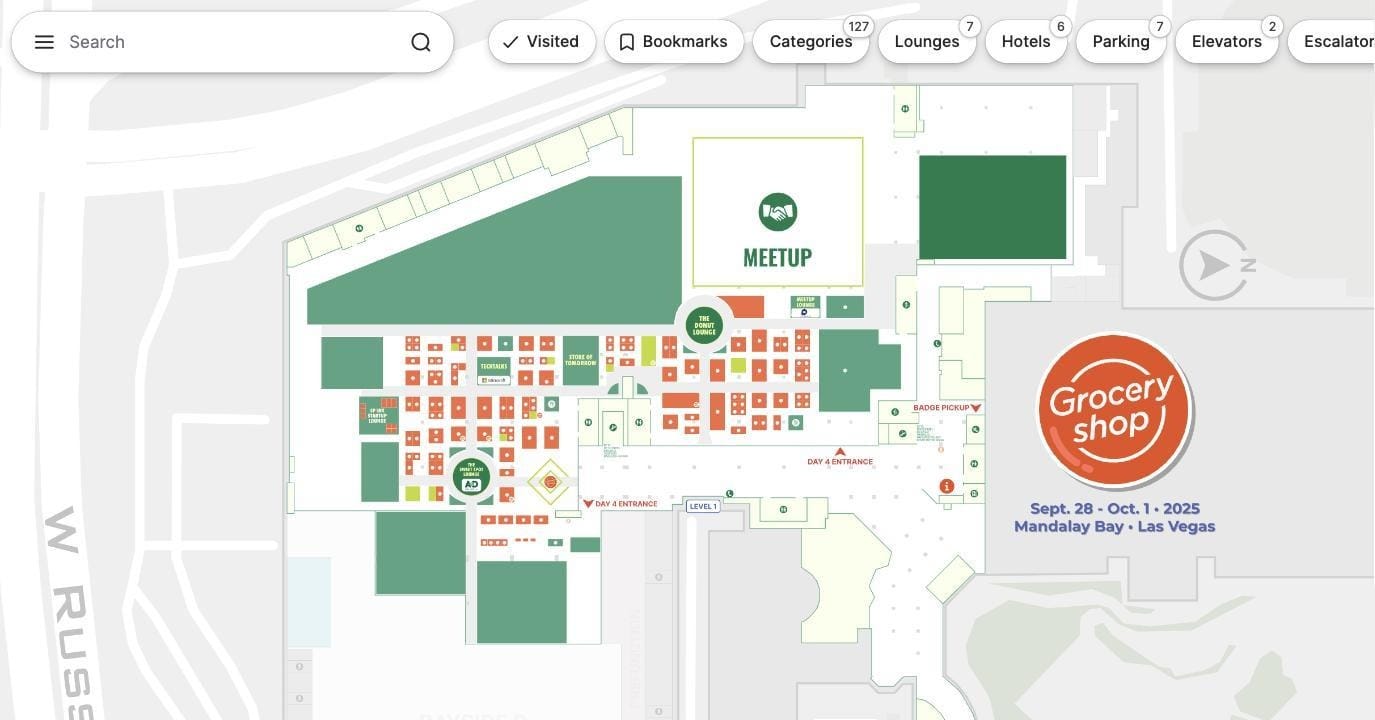
You can see how this comes together on a live event map or read more on what an interactive floor plan actually is if you’re new to the category.
Common Mistakes When Moving Booth Sales Online
Publishing the map before pricing is finalized. Exhibitors lose trust fast if a price changes after they’ve already reviewed the map. Lock pricing before you go live, even if it’s a placeholder tier structure.
Not training the sales team on the new source of truth. If reps keep a personal spreadsheet “just in case,” you’re back to double-booking risk. The map has to be the only place status lives.
Ignoring mobile. A meaningful share of exhibitor decision-makers will look at your floor plan from a phone between meetings. If the map doesn’t render cleanly on mobile, you lose them.
No clear call to action per booth. A beautiful map that doesn’t tell the exhibitor what to click next just becomes a nicer-looking version of the static PDF you were trying to replace.
FAQ
Do exhibitors need an account to reserve a booth online? Not necessarily. Many organizers let exhibitors browse and select booths without logging in, then collect contact and payment details only at the point of reservation. This lowers friction significantly compared to requiring registration up front.
Can I still sell some booths manually while selling others online? Yes. A hybrid model — self-service checkout for standard booths, sales-assisted for premium and sponsorship packages — is one of the most common setups, especially for larger B2B shows.
How do I prevent double-booking once I move online? Real-time status sync is the fix: every viewer sees the same live map, and a booth’s status changes for everyone the instant it’s reserved or sold, eliminating the lag that causes double-booking on spreadsheets.
What happens to booths that don’t sell before the show? Most organizers keep the map live through move-in, using it as a floor directory for exhibitors and attendees, and can still convert late-breaking interest into a last-minute sale if inventory remains.
Does this replace my CRM? No — treat the floor plan as the sales interface and source of truth for booth status, and sync reservation and contact data into your CRM for pipeline tracking and follow-up.
Ready to Move Off Spreadsheets?
If chasing booth availability across tabs and email threads is slowing your sales cycle, an interactive floor plan turns your exhibit hall into a self-service storefront that sells while you sleep.
Create your floor plan free and see how fast you can get real-time booth sales live for your next show.