Paperless Events: How Digital Maps Cut Costs and Waste
Discover how paperless events and interactive digital maps help trade show organizers reduce printing costs, minimize waste, and improve attendee navigation.
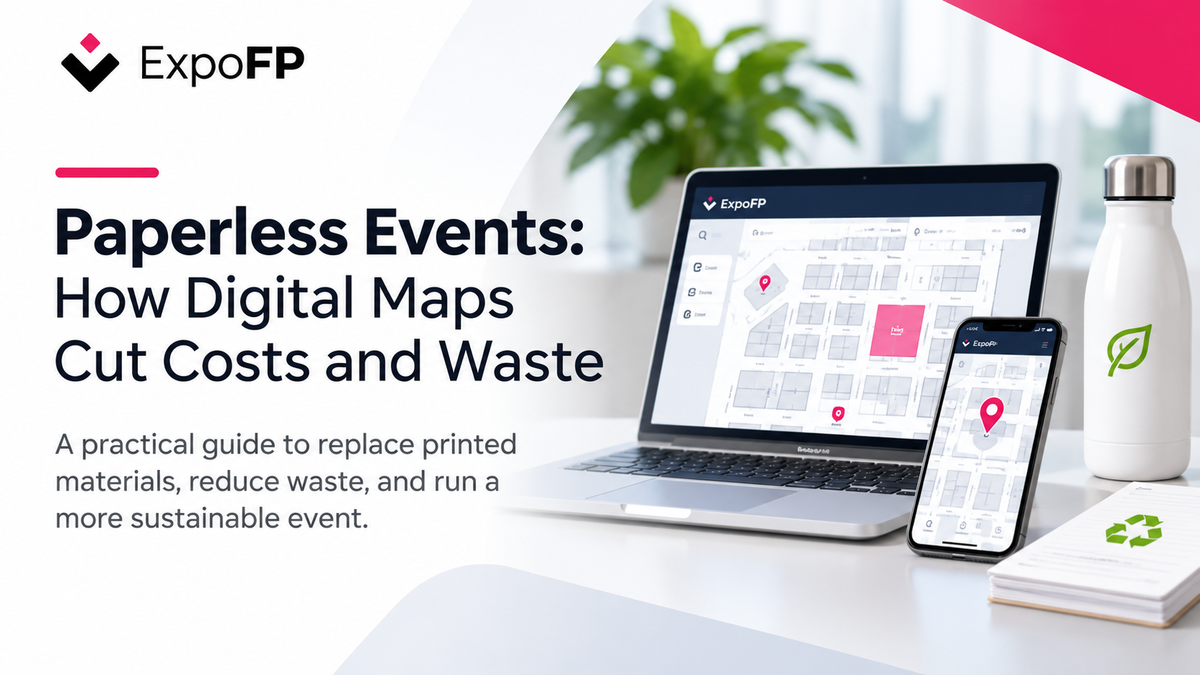
Paperless events help organizers reduce printing costs, minimize waste, and keep event information up to date. One of the simplest ways to start is by replacing printed floor plans and exhibitor directories with a digital, interactive map.
Traditional trade shows often rely on printed maps, show guides, directional signs, exhibitor forms, and schedules. These materials require printing, transportation, distribution, and sometimes reprinting when event details change.
A digital floor plan can replace many of these materials while giving attendees access to current exhibitor information, searchable booth locations, and navigation tools directly from their phones.
This guide explains how to reduce paper waste at trade shows and conferences, calculate potential cost savings, and introduce digital alternatives without compromising the attendee experience.
Why Paperless Events Matter
Sustainable event management involves reducing unnecessary materials while maintaining a practical experience for attendees, exhibitors, and organizers.
Printed materials are a useful starting point because organizers can directly control how many they produce.
According to the U.S. Environmental Protection Agency's waste management hierarchy, preventing waste before it is created is generally preferable to managing it after disposal.
For trade shows, this means considering whether a printed item is necessary before deciding how to recycle it.
Digital maps, online exhibitor directories, and electronic forms can help reduce the amount of paper ordered for an event.
What Research Says About Sustainable Events
A 2024 systematic literature review published in the Journal of Sustainable Tourism examined 247 academic articles on environmental sustainability in the event industry.
The researchers identified four major areas of study: environmental impacts, green event management, environmental policies, and stakeholder behavior.
The review highlights that event sustainability involves multiple operational decisions rather than a single technology or initiative.
Environmental Sustainability in the Event Industry — 2024 Systematic Review
For organizers, reducing printed materials is one practical action within a broader sustainability strategy that may also include transportation, energy use, catering, and reusable exhibition materials.
Where Paper Is Used at Trade Shows
Before planning a paperless event, identify where printed materials are currently used.
Common examples include attendee maps, exhibitor directories, registration forms, printed schedules, and promotional materials.
| Event activity | Traditional printed material | Digital alternative |
|---|---|---|
| Attendee arrival | Printed floor plans and show guides | Interactive floor plan |
| Exhibitor directory | Printed company and booth listings | Searchable exhibitor directory |
| Wayfinding | Directional boards and printed maps | QR codes and digital navigation |
| Exhibitor onboarding | Manuals and registration forms | Online exhibitor portal |
| Booth sales | Contracts and selection forms | Online booth reservations |
| Conference sessions | Printed agendas | Digital schedules |
| Sponsorship | Printed advertisements | Digital sponsor placements |
| Last-minute changes | Reprinted maps and notices | Live floor plan updates |
The biggest advantage of digital information becomes clear when event details change.
If an exhibitor moves to another booth or a meeting room changes, printed materials may become outdated.
An interactive map allows organizers to update the relevant information without producing another batch of printed guides.
What Can a Digital Event Map Replace?
A paperless event does not require eliminating every physical sign or printed document.
Instead, organizers can identify which materials are suitable for digital replacement and which remain necessary for safety, accessibility, or convenience.
Materials You Can Replace
Digital alternatives can reduce the need for:
- Printed floor plan handouts
- Paper exhibitor directories
- Printed session schedules
- Exhibitor registration forms
- Booth selection paperwork
- Reprinted maps following layout changes
Materials You May Still Need
Some physical materials remain important, including:
- Emergency exit and fire safety signage
- Permanent hall identification signs
- Required accessible and tactile signage
- Selected directional signs
- A limited number of printed maps for attendees who cannot access digital tools
Our Fire Safety and Layout Regulations for Exhibition Floor Plans explains important considerations for maintaining safe circulation and compliant exhibition layouts.
Similarly, our Event Wayfinding Guide explores how physical signage and interactive navigation can work together.
The goal is to reduce unnecessary printing without removing information that visitors rely on.
How Much Can Paperless Events Save?
The financial benefits of going paperless depend on event size, print volume, supplier pricing, and the number of last-minute changes.
Rather than relying on an industry-wide savings estimate, organizers can calculate potential savings using their own costs.
Step 1: Calculate Current Printing Costs
Start by identifying every printed item and its associated expenses.
| Expense | Calculation |
|---|---|
| Printed attendee maps | Number of copies × cost per copy |
| Show guides and directories | Number of copies × cost per copy |
| Directional signs | Number of signs × cost per sign |
| Exhibitor manuals and forms | Number of sets × cost per set |
| Reprints | Number of additional print runs × cost per run |
| Shipping and storage | Total freight and storage costs |
| Staff distribution time | Hours worked × hourly cost |
Add these expenses to calculate the total cost of your current printing process.
Step 2: Calculate Digital Replacement Costs
Next, estimate the expenses associated with digital alternatives.
| Expense | Considerations |
|---|---|
| Interactive floor plan software | Subscription or event-specific pricing |
| QR code signage | Printing and placement |
| Digital kiosks | Optional hardware rental or purchase |
| Map administration | Staff time for updates |
| Remaining printed materials | Essential signs and contingency maps |
You can review available options on the ExpoFP Pricing Page.
For events considering interactive displays, our Kiosk and Digital Signage Buyer's Guide covers practical hardware considerations.
Step 3: Compare the Total Costs
Use the following calculation:
Estimated savings = Current printing and distribution costs − Total digital replacement costs
Include any reprints in the current printing total so they are not counted twice.
Example: A Hypothetical Trade Show
Consider an event with 5,000 attendees.
The following figures are illustrative assumptions, not industry averages.
| Expense | Estimated cost |
|---|---|
| 5,000 printed maps at $0.50 each | $2,500 |
| 5,000 printed guides at $1.50 each | $7,500 |
| Printed signage | $1,200 |
| Reprints after changes | $800 |
| Shipping and distribution | $500 |
| Total traditional costs | $12,500 |
Suppose the organizer replaces most printed materials with a digital floor plan.
| Expense | Estimated cost |
|---|---|
| Digital floor plan software | $1,500 |
| QR code signage | $300 |
| Remaining printed materials | $500 |
| Total digital costs | $2,300 |
In this hypothetical scenario:
Estimated savings: $10,200
This example demonstrates how to calculate potential savings. Actual results will depend on supplier quotes, software pricing, staffing, and which printed materials can be eliminated.
For recurring events, the comparison can be repeated across the annual event calendar.
Organizers can also explore potential revenue opportunities through digital sponsorships, as discussed in our Guide to Monetizing Your Event Floor Plan.
How Interactive Floor Plans Support Paperless Events
A digital floor plan provides more than a replacement for a printed map.
It gives attendees a way to search for exhibitors, find destinations, and access updated information throughout the event.
With ExpoFP, attendees can open an interactive floor plan directly in a mobile browser without downloading an app or creating an account.
Searchable Exhibitor Information
Instead of scanning a printed directory, visitors can search by company name, booth number, or category.
Exhibitor profiles can include additional details that would be difficult to fit into a printed guide.
Interactive Wayfinding
Attendees can use navigation features to find booths, facilities, and other destinations when routes have been configured.
This reduces reliance on printed maps and helps visitors navigate larger exhibition venues.
Real-Time Updates
When an exhibitor changes location or event information is updated, organizers can modify the digital floor plan.
Attendees can then access the updated information without waiting for a new printed guide.
QR Code Access
QR codes provide a simple way to connect physical locations with digital navigation.
They can be placed near:
- Venue entrances
- Registration desks
- Hall intersections
- Escalators and elevators
- Information desks
Our QR Code Wayfinding Setup Guide explains how to position QR codes and prepare them for event use.
Offline Access
Internet connectivity can be unreliable in busy convention centers.
ExpoFP supports offline access through preloading, allowing attendees to access previously loaded map information when connectivity is limited.
Organizers can encourage visitors to open the map while connected to venue Wi-Fi.
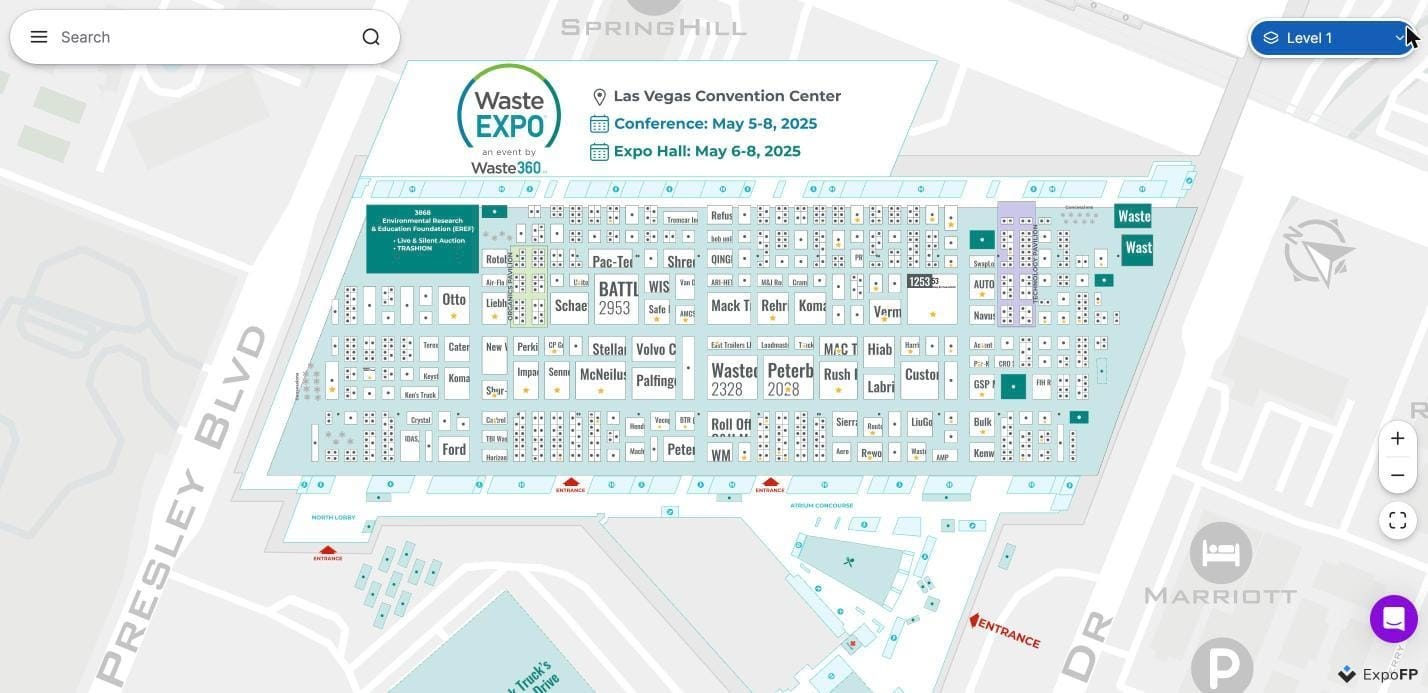
Example: WasteExpo 2025
WasteExpo 2025 at the Las Vegas Convention Center provides an example of an interactive event floor plan that displays exhibitors, entrances, and surrounding locations.
Attendees can explore the venue layout digitally rather than relying exclusively on printed maps.
Reducing Paperwork With an Exhibitor Portal
Printed materials are not limited to the attendee experience.
Exhibitor registration, company information, booth reservations, and administrative forms can also generate substantial paperwork.
Moving these processes online can reduce repetitive document handling.
Digital Exhibitor Profiles
With the ExpoFP Exhibitor Portal, exhibitors can manage their company information through a self-service interface.
Depending on the event configuration, exhibitors can update details such as:
- Company name and description
- Logo and branding
- Contact information
- Public exhibitor profile
Organizers can control which information exhibitors are allowed to edit.
Online Booth Reservations and Payments
When enabled, digital booth reservation and payment features can reduce the need for printed selection forms and manual paperwork.
More Accurate Exhibitor Directories
When exhibitors update their information online, organizers can maintain a more current digital directory.
This reduces the need to manually transfer information into printed guides.
The result is a simpler administrative process and fewer documents exchanged between organizers and exhibitors.
What Sustainability Guidelines Recommend
Reducing printed materials is consistent with established sustainable event management guidance.
The ETH Zurich Guide for Sustainable and Inclusive Events recommends minimizing printed products through digital alternatives such as online information and registration.
It also identifies QR codes as an alternative to printed flyers.
For materials that still require printing, the guide recommends practical measures such as:
- Reducing print quantities
- Using recycled or resource-efficient paper
- Printing double-sided
- Designing reusable signage
- Avoiding event-specific dates on materials intended for reuse
These recommendations reinforce an important principle: going paperless is not necessarily about eliminating every printed item, but about avoiding unnecessary production.
The U.S. EPA similarly prioritizes source reduction and reuse over recycling in its waste management hierarchy.
See: EPA Sustainable Materials Management and Waste Hierarchy
For event organizers, digital floor plans provide one way to apply this principle to attendee information and event operations.
How to Organize a Paperless Trade Show
A successful transition requires planning before the event.
The following timeline provides a practical starting point.
8–6 Months Before the Event: Review Printed Materials
List all materials currently printed for attendees, exhibitors, sponsors, and staff.
Identify which documents can be replaced, reduced, or reused.
Request supplier quotes to establish your current printing costs.
6–4 Months Before the Event: Create the Digital Floor Plan
Build the exhibition layout using a digital floor plan designer.
Add booth numbers, exhibitor information, entrances, facilities, and relevant event locations.
With the ExpoFP Floor Plan Designer, organizers can create and update interactive exhibition layouts.
Publish the map link on the event website so exhibitors and attendees can access it before arrival.
3–2 Months Before the Event: Move Exhibitor Information Online
Introduce the exhibitor portal and explain how exhibitors can update their profiles.
Communicate which printed materials will be replaced with digital alternatives.
4–2 Weeks Before the Event: Prepare QR Codes and Signage
Place QR codes in locations where attendees are likely to look for navigation assistance.
Prepare essential physical signage and a small contingency supply of printed maps.
Test the interactive floor plan across mobile devices.
During the Event: Keep Information Updated
Encourage attendees to use the digital map at registration and information desks.
Monitor changes to exhibitor locations, facilities, and event schedules.
Update the interactive plan when necessary.
After the Event: Measure the Results
Compare actual printing expenses with your original budget.
Review how many printed materials were avoided and identify opportunities for improvement.
Where analytics are available, review digital map usage and QR code engagement to inform future planning.
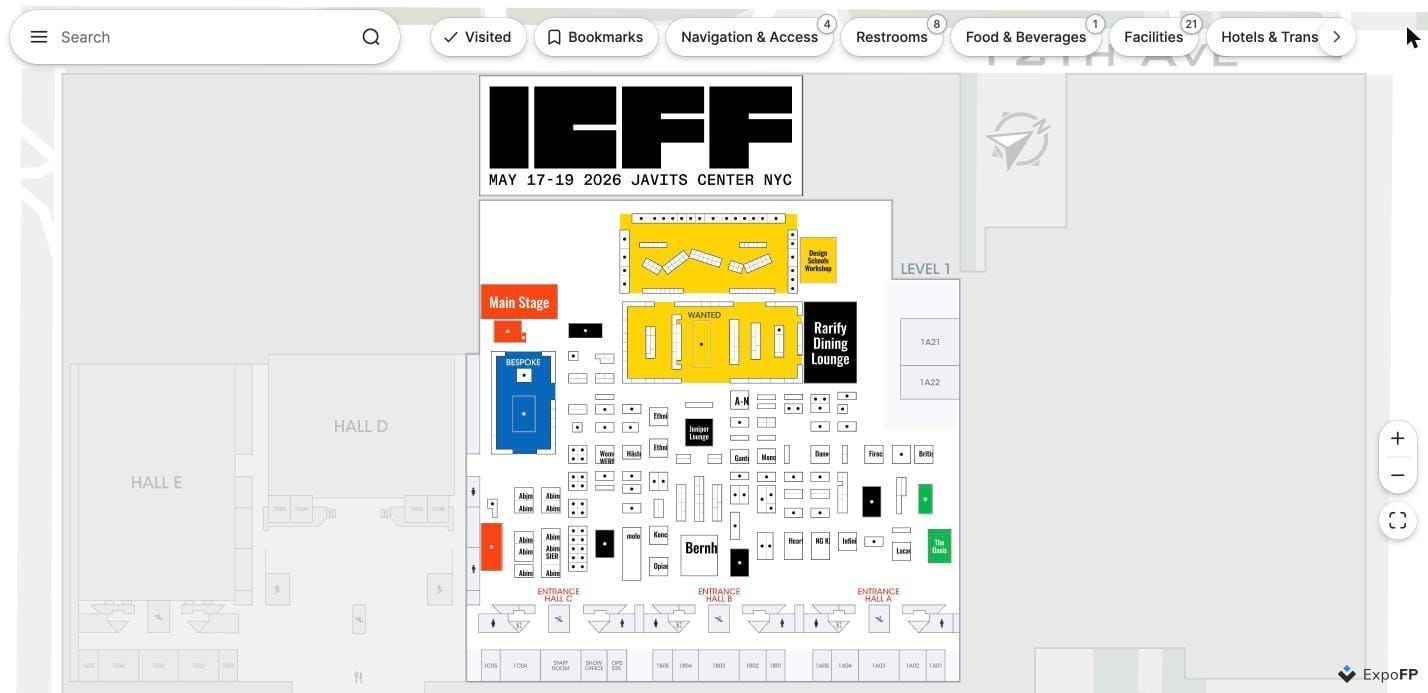
Example: ICFF 2026
The ICFF 2026 interactive floor plan at the Javits Center in New York displays exhibition areas, entrances, and visitor facilities in a single digital interface.
This allows visitors to explore the event layout without relying solely on printed floor plans.
How to Measure Paper Waste Reduction
Going paperless creates an opportunity to measure changes in material use.
However, sustainability claims should be based on actual data rather than general assumptions.
Track Printing Volumes
Record the number of printed maps, directories, guides, and signs used before and after introducing digital alternatives.
For example:
- Previous event: 10,000 printed maps
- Current event: 1,000 printed maps
- Reduction: 9,000 printed maps, or 90%
This is a measurable reduction in printed map volume.
It does not automatically establish a corresponding percentage reduction in carbon emissions.
Monitor Printing Expenses
Compare invoices from printers, suppliers, and shipping providers.
Include the cost of digital alternatives to understand the financial impact.
Review Material Reuse
Track whether signs, banners, and other physical materials can be reused at future events.
Avoid Unsupported Environmental Claims
Replacing printed maps with digital alternatives does not make an event carbon neutral.
Digital services also require electricity, hardware, and infrastructure.
For this reason, organizers should avoid claims such as "saved 500 trees" unless they have reliable data and a defensible methodology.
A more accurate statement would be:
"We reduced printed floor plan production from 10,000 copies to 1,000 copies by introducing a digital event map."
This communicates a specific, measurable result.
Our Sustainability in Trade Shows Guide explores additional ways event technology can support waste reduction and more sustainable event operations.
Common Challenges When Going Paperless
Digital alternatives can reduce printing, but organizers should prepare for practical limitations.
Not Every Attendee Has a Smartphone
Keep a limited supply of printed maps at information desks.
Digital kiosks can also provide an alternative for visitors who cannot access the map on their own devices.
Internet Connectivity May Be Limited
Encourage attendees to open and preload the map while connected to venue Wi-Fi.
Test connectivity in different areas before the event.
Exhibitors May Prefer Printed Directories
Explain how digital exhibitor profiles provide searchable information that can be updated throughout the event.
Sponsors May Expect Printed Advertising
Digital sponsor placements can offer an alternative to advertisements in printed show guides.
Organizers can also explore available analytics to evaluate digital sponsorship engagement.
Digital Tools Have an Upfront Cost
Compare the full cost of traditional printing with the cost of digital alternatives.
Include reprints, distribution, shipping, and staff time in the calculation.
Start Your Paperless Event With a Digital Floor Plan
Reducing paper waste does not require changing every part of an event at once.
Replacing printed floor plans and exhibitor directories is a practical starting point because these materials are widely distributed and frequently affected by last-minute changes.
With ExpoFP, organizers can create interactive floor plans, manage exhibitor information, and provide attendees with searchable maps and digital navigation tools.
By combining digital information with essential physical signage, events can reduce unnecessary printing while maintaining a convenient experience for attendees.
Frequently Asked Questions
What Is a Paperless Event?
A paperless event replaces or reduces printed materials through digital alternatives such as interactive floor plans, online exhibitor directories, electronic forms, and QR codes.
Most events still require some physical signage and printed materials for safety, accessibility, and convenience.
How Much Money Can a Digital Floor Plan Save?
Savings depend on event size, printing costs, reprints, distribution expenses, and digital software pricing.
Organizers can estimate potential savings by comparing their current printing expenses with the total cost of digital alternatives.
Do Attendees Need to Download an App to Use a Digital Floor Plan?
No. ExpoFP interactive floor plans can be accessed directly through a mobile browser using a link or QR code, without requiring an app download or account registration.
Can Paperless Events Still Meet Safety and Accessibility Requirements?
Yes. Digital maps can complement physical signage, but they do not replace required emergency, fire safety, or accessible signage.
Organizers should confirm applicable requirements with the venue and local authorities.
Are Digital Maps More Sustainable Than Printed Maps?
Digital maps can reduce the number of printed materials required for an event, especially when information changes frequently.
However, their overall environmental impact depends on factors such as printing volumes, device usage, and digital infrastructure.
Claims about carbon savings should be supported by appropriate measurements.
How Can Organizers Measure the Success of a Paperless Event?
Organizers can track printing volumes, supplier costs, reprints, and digital map engagement.
Comparing these figures with previous events helps identify financial savings and reductions in material use.