
The Event Management Software Stack: What You Actually Need
A practical guide to building the right event management software stack for trade shows and conferences, covering registration, exhibitor management, interactive floor plans, event apps, onsite operations, and analytics.
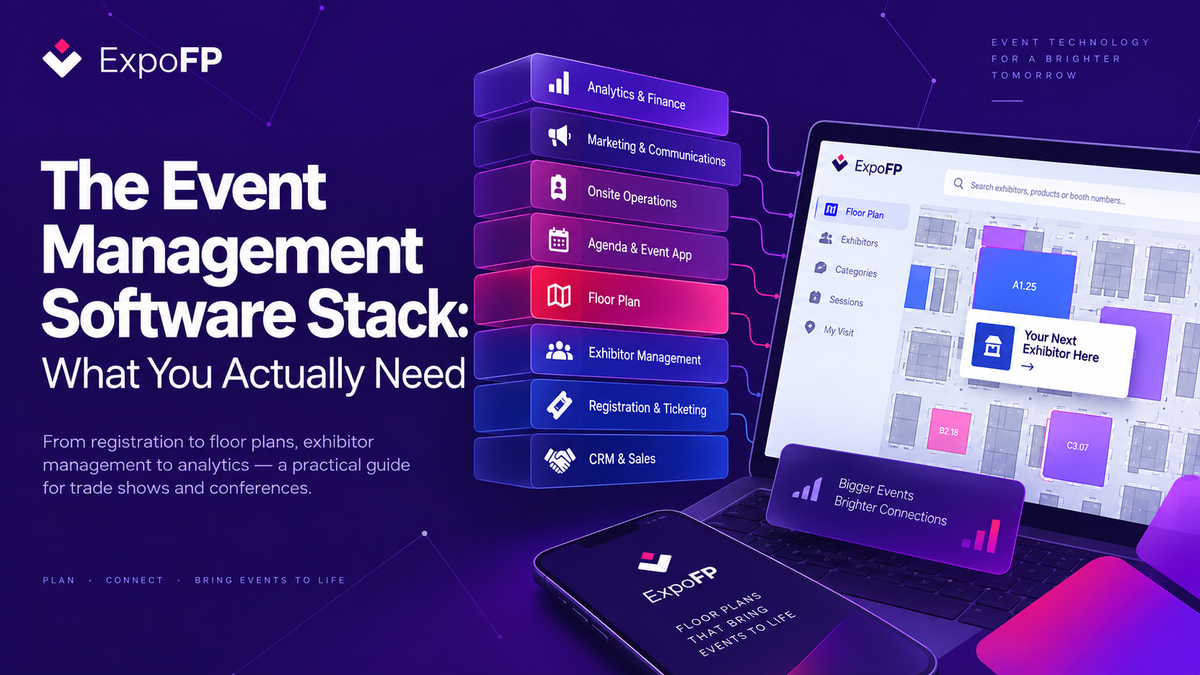
Not every event needs a separate platform for every layer. A 200-attendee user conference might only need registration, an agenda app, and email. A 30,000-visitor trade show at Messe Frankfurt or McCormick Place may use all eight layers, sometimes with multiple products within the same layer.
Layer by Layer: What Each Tool Needs to Do
1. CRM and Sales
This is where sponsor and exhibitor revenue usually starts. For events, the most useful CRM features include:
- A multi-year account view showing which exhibitors renewed, which did not, and how their booth size changed.
- Contract and invoice status that operations can access, allowing the floor plan to reflect whether a booth is signed, reserved, or available.
- Integration with the floor plan or exhibitor portal so booth and exhibitor information does not have to be entered manually in multiple systems. See How to Automate Event Management with Zapier Integration.
Where organizers overspend: adding a separate “event CRM” when the organization already uses HubSpot or Salesforce. Before adding another database, check whether your existing CRM can be extended with event-specific fields and integrations.
2. Registration and Ticketing
Your registration platform is the main system of record for attendee information. Important capabilities include:
- Ticket types with different data collection requirements for delegates, exhibitor staff, press, VIPs, and other attendee groups.
- Group registration for exhibitor staff allocations.
- Data export and API access. If getting data out of a platform is difficult, connecting it to the rest of your event stack will be difficult too.
- GDPR compliance for EU/UK events and applicable US privacy requirements, including consent capture, retention settings, and an available DPA.
- Badge design and printing integration, or a reliable handoff to your onsite provider.
Where organizers overspend: enterprise registration platforms for events that only sell one type of ticket.
Where they underspend: using a generic ticketing platform for a trade show and later discovering it cannot manage exhibitor staff allocations, creating additional spreadsheet work.
3. Exhibitor Management
For exhibitions, good exhibitor management can remove a significant amount of repetitive admin work.
The main functions include:
- Booth sales: inventory, pricing by booth size or type, and either online booth selection or sales-led assignment. Increasingly, this process happens directly on the interactive floor plan. See How to Sell Trade Show Booth Space Online.
- Exhibitor manuals and forms: deadlines, health and safety requirements, stand-build approvals, and service orders for power, rigging, furniture, and internet.
- Exhibitor profiles: company information, logos, product categories, press releases, and other content that can be published to the map or event app.
- Staff registration: free badge allocations based on booth size or other exhibitor rules.
A simple test: if exhibitors regularly email your team asking for information that is already available in the exhibitor manual, the information may be in the wrong place or difficult to find.
A self-service portal where exhibitors can access their information and see their booth directly on the map can reduce those questions. For more ideas, see How to Attract More Exhibitors to Your Trade Show.
4. Floor Plan
The floor plan connects more parts of the event stack than organizers sometimes expect. It is also one of the tools most often left in CAD or PDF format until late in the planning process.
A modern interactive floor plan can handle four main jobs:
- Design: halls, aisles, booth geometry, fire lanes, dimensions, and revisions.
- Booth inventory: sellable spaces with availability, pricing, dimensions, and other booth data.
- Exhibitor experience: a map where exhibitors can explore available spaces, select booths, and see their location and neighboring companies.
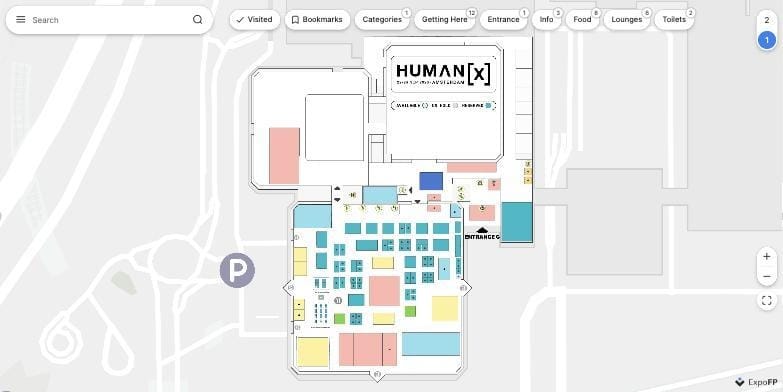
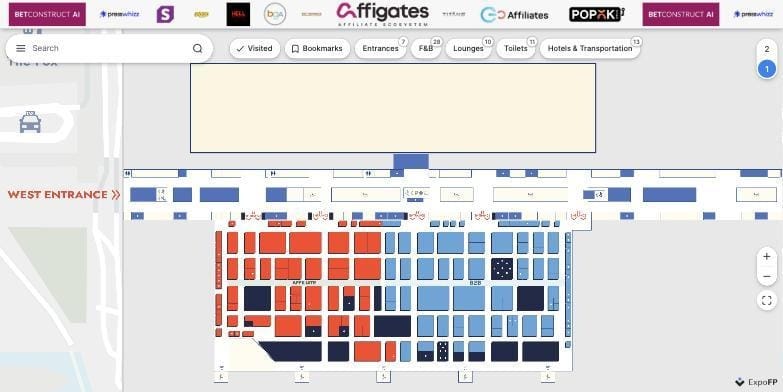
- Attendee experience: search, exhibitor categories, bookmarks, routing, and a map that can be embedded into the event website, app, or onsite kiosk.
Because the floor plan connects sales, operations, marketing, exhibitors, and attendees, integration is an important consideration when choosing a platform. Look for API access, embedding options, and integrations with the registration, CRM, and event platforms already in your stack.
The full market guide to floor plan software compares the available options in more detail.
Retail Technology Show and iGB L!VE at ExCeL London are examples of events where the interactive floor plan also works as a public exhibitor directory, displaying sponsor logos, stand numbers, categories, and other information from the same dataset.
5. Agenda and Event App
For conferences, the event app may be the attendee's main interface. For exhibition-focused events, it may be optional if a mobile-friendly web map and schedule provide everything attendees need.
The decision depends largely on whether attendees need to create personal schedules, book meetings, or network.
Useful features include:
- Session management with rooms connected to map locations.
- Personal agendas that sync between web and mobile.
- Matchmaking and meeting booking when relevant.
- Push notifications for schedule changes.
- An embedded interactive floor plan rather than a static image, allowing attendees to go directly from “What session do I want to attend?” to “How do I get there?”
Where organizers overspend: investing in a full native event app when previous event data shows that relatively few attendees install it. For some exhibitions, a web-based interactive map and agenda can provide a simpler experience.
Where they underspend: managing conferences with hundreds of sessions through PDF schedules that quickly become outdated.
6. Onsite Operations
This layer includes check-in, badge printing, access control, session scanning, and lead retrieval.
Important requirements include:
- Fast check-in during peak arrival periods.
- Offline resilience when venue Wi-Fi is unavailable or unreliable.
- Real-time attendance information synced back to the registration platform.
- Lead retrieval that gives exhibitors usable attendee data while handling consent appropriately.
fielddrive and ExpoFP have worked together on events where check-in and wayfinding connect at the entrance, allowing a badge QR code to open the attendee's personalized map.
Kiosks and digital signage also sit within this layer. See the Trade Show Kiosks & Digital Signage Buyer's Guide for more information.
7. Marketing and Communications
This layer covers email, landing pages, and social media scheduling.
For events, the main requirement is segmentation. Organizers may need to communicate differently based on ticket type, exhibitor status, geography, or where someone is in the event planning journey.
Communications can also be connected to the planning milestones covered in the 18-month trade show planning checklist.
Most organizers already have marketing tools at the company level, so a separate event-specific marketing suite is not always necessary.
8. Analytics and Finance
Analytics is often a layer you build by combining information from several systems rather than buying as a standalone event platform.
Typical data sources include:
- Registration reports
- CRM and exhibitor revenue
- App engagement
- Floor plan analytics, including searches, bookmarks, popular booths, and routes
- Onsite scans
These can be combined in a BI platform or even a well-structured spreadsheet.
Useful questions to answer after each event include:
- What was the revenue per square metre or square foot by hall?
- What percentage of exhibitors renewed?
- What was the attendee-to-exhibitor ratio?
- Which areas of the exhibition floor attracted the most traffic?
Three Example Event Technology Stacks
Small Conference or User Event: 200–1,000 Attendees
A typical stack might include:
- Registration: Eventbrite or Cvent Essentials tier
- Agenda/app: Swapcard, Bizzabo, or the registration platform's own solution
- Floor plan: web-based interactive map embedded into the website and app
- Onsite: badge printing through the registration platform without separate access control
- Marketing: existing company email platform
- Analytics: registration reports and app engagement
Total: around three to four paid tools.
An interactive floor plan can become particularly useful when the event uses several rooms or floors, such as conferences held in large hotels or convention venues.
Mid-Size Exhibition: 200–800 Exhibitors, 5,000–30,000 Visitors
A typical stack might include:
- CRM: company CRM with event-specific fields
- Registration: Cvent, Bizzabo, or ExpoPlatform
- Exhibitor management: booth sales through the floor plan, with exhibitor manuals handled by the registration or exhibitor platform
- Floor plan: interactive map with online booth selection and CRM integration
- Agenda/app: engagement platform when the event includes a conference component; otherwise a web map with schedule
- Onsite: dedicated check-in provider and kiosks displaying the floor plan
- Marketing: existing company email platform
- Analytics: BI dashboard combining CRM, registration, and floor plan data
This is similar to the setup used by events such as DMEXCO, Retail Technology Show, and Metstrade, where one floor plan dataset can feed the website, app, exhibitor portal, and onsite kiosks.
Large Exhibition: 1,000+ Exhibitors, 50,000+ Visitors
Large exhibitions generally require everything above, plus:
- Multi-hall floor plans with routing between halls and outdoor areas. See Indoor Navigation for Events: GPS, BLE, QR Compared.
- Shuttle and transport information on the map.
- Enterprise registration with SSO for personalized attendee maps.
- Dedicated integration engineering and a clear internal owner for data flows.
- Floor plan traffic analytics and, where appropriate, indoor positioning technology.
How to Decide What to Buy, Skip, and Connect
Start with your data, not the feature list. List the main entities your event manages: exhibitors, booths, attendees, sessions, sponsors, and orders. Each should have one clear system of record.
If two platforms both want to own the same information, you may be creating duplication rather than adding a useful feature.
Prioritize integration over the number of modules. An all-in-one platform can simplify some workflows, but specialized tools often provide more depth for individual parts of the event. Whichever approach you choose, make sure the important systems can exchange information through an API, native integration, or another reliable connection.
Avoid tools with no clear data path in or out. Ask vendors to show you their export options, API documentation, or available integrations before committing.
Consider who will manage each platform. Every tool requires an owner. A small event team may struggle to manage eight separate products effectively. Combine layers where it makes sense, while keeping specialized systems where they provide clear value.
Follow the attendee journey from start to finish. For example:
Hears about event → registers → receives map → plans visit → arrives and checks in → opens map → finds session → visits exhibitor → receives follow-up.
Every arrow represents a data connection. If a member of your team has to manually copy information at one of those points, that is usually the first integration gap worth fixing.
The event wayfinding guide covers the onsite navigation part of this journey in more detail.
Event Management Software Stack Checklist
- ☐ One system of record for each main entity: exhibitor, booth, attendee, session, and sponsor
- ☐ Every tool has a documented API or native integration with the systems it needs to communicate with
- ☐ The floor plan is interactive rather than remaining in CAD or PDF after booth sales begin
- ☐ Booth sales and CRM systems exchange assignments automatically
- ☐ Exhibitor profiles are entered once and can appear on the map, app, and kiosks
- ☐ Session rooms are connected to locations used by the agenda platform
- ☐ Registration can provide attendees with a map link or personalized experience
- ☐ Onsite check-in can operate offline and sync back to registration
- ☐ Analytics combine revenue, attendance, and floor plan activity
- ☐ Every tool has an internal owner and a renewal review date
Frequently Asked Questions
What is the minimum event management software stack for a trade show?
At minimum, most trade shows need registration, a CRM or exhibitor database, an interactive floor plan with booth inventory, an onsite check-in solution, and an email platform.
A dedicated event app is optional for many exhibitions. A mobile-friendly web map combined with a schedule may be enough for the attendee experience.
Should I buy an all-in-one event management platform or best-of-breed tools?
All-in-one platforms can work well for smaller teams running relatively simple events with limited integration requirements.
Best-of-breed stacks are often better suited to exhibitions and larger conferences where floor plan management, registration, CRM, and other areas each require more specialized functionality.
In either case, check API access and integration options before choosing a platform.
Where does the floor plan fit in the event tech stack?
The floor plan sits between exhibitor management and the attendee experience.
For organizers and sales teams, it manages booth inventory and assignments. For exhibitors, it shows available spaces and booth locations. For attendees, it becomes the interactive map they use to search exhibitors and navigate the event.
Because of this, floor plan software should integrate well with the registration, CRM, and event platforms already in your stack.
How many event management tools are too many?
If a tool has no clear owner, does not integrate with anything, and produces reports nobody uses, it may be one tool too many.
Most mid-size exhibitions can operate effectively with around five to seven products. Large events may use ten or more, particularly when they have a dedicated team managing integrations.
Do US and European Organizers Use Different Event Technology Stacks?
The main layers are similar, but vendor selection and compliance requirements can differ.
European organizers may place more emphasis on GDPR-ready registration and EU data residency, while US organizers may use exhibitor-management platforms connected to venue services.
Floor plan, agenda, and onsite technology are increasingly used across both markets.
Build Your Event Tech Stack Around the Right Connections
The goal is not to collect more event management software. It is to make sure each platform has a clear job and that information can move between the systems that depend on it.
For exhibitions, the interactive floor plan is one of the most connected parts of that stack. It links booth inventory and exhibitor data with the attendee experience across websites, apps, and onsite displays.
Create your floor plan free, then connect it with your registration platform, CRM, and event app using native integrations, Zapier, or the ExpoFP API.